Phase III
 |  |
Methods and Approaches
To implement the capstone project, ensure a teachable environment, and promote student success, there are specific methods, approaches and strategies that the teacher must utilize, especially when integrating technology into lessons.
A method that best fits the objectives of the project and diverse needs of the students is a combination of both direct instruction and inquiry-based instruction. Direct instruction will include lessons where the teacher will teach the students how to use the Kidspiration software (introduction lesson), and how to create a writing piece from the work they have done on the Kidspiration software. These will be the initial lessons to help students understand the process of creating a writing piece with the software and to understand what is expected. Inquiry-based instruction will include lessons where the teacher will have the students complete a tutorial on how the Kidspiration software (Kidspiration Hands-On Tutorial) and lessons where the students will create another writing piece based on what they have learned form the tutorials.
When it comes to the content of the instruction and grouping of students, the teacher will use the interdisciplinary approach and mixed groupings. The main subjects that the teacher and students focused on and were to integrate were reading, writing, and science.
Students created a writing piece based on what they have read and what they have learned in science. Depending on the specific lessons, the teacher used the following grouping approaches: whole-group, small-group, pairs, and individual. Whole-group approach was used in teaching and explaining all components of the project. Small-group approach was used to differentiate what is taught in whole-group lessons according to students' reading and writing levels. Pairing approach was used to partner high and low students when completing the hands-on tutorials and proofreading of each other's work. Individual approach was used when students have learned how to use Kidspiration and create a writing piece from the software on their own with minimal guidance.
Timeline
|
Activity/Lesson |
Description |
Due Date |
|
Grade Level Team Approval |
The lead teacher in this project will have the grade level team review the project timeline for approval of implementation. |
March 7 |
|
Software and Hardware Check |
The teacher will check if each computer has Kidspiration installed. The teacher will check if the hardware to be used (computers and LCD projector) are working. |
March 9 |
|
Student Computer Background Knowledge Survey |
The teacher will survey student background knowledge and experience with computers to determine how much basic computer skill lessons students will need. |
March 11 |
|
Introduction and Tutorial Lesson Check |
The teacher will make any necessary changes or accommodations to the following lessons and/or activities in this timeline based on grade level team’s feedback, software and hardware check, and student’s computer background knowledge survey. |
March 14 |
|
Student Writing Sample |
The teacher will have students create their own descriptive paragraph with minimal teacher guidance and with no graphic organizers. This will allow the teacher to compare this writing sample to their final product with Kidspiration to assess the level of student growth. |
March 15 |
|
Kidspiration Introduction Lesson |
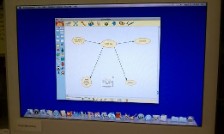
The teacher will introduce students to the idea of using Kidspiration for their writing. The teacher will use an LCD projector to show students what the software is, what it looks like, and what it is for. (direct whole-group instruction) |
March 16 |
|
Kidspiration Hands-On Tutorial 1 |
The teacher will guide students through a step-by-step hand-on tutorial on how to use the Kidspiration software.
Tutorial 1 will include: - identifying, opening, closing software - navigating through software - identifying and using features of software - saving and printing work (direct pair instruction) |
March 17 |
|
Kidspiration Hands-On Tutorial 2 |
The teacher will continue to guide students through a step-by-step hands-on tutorial on how to use the Kidspiration software.
Tutorial 2 will include: - review of tutorial 1 - creating a word web with a graphic - organizing information - transferring from word web feature to writing feature - using the writing feature (direct pair instruction) |
March 22 |
|
Explanation of Rubric |
The teacher will explain to students the rubrics that will be used when they create their own writing piece. Students will use the rubric to examine the teacher’s model. (direct/inquiry small-group instruction) |
March 23 |
|
Writing with Kidspiration Part 1 |
Pre-writing Choosing a topic, creating a word web with Kidspriation, for a descriptive paragraph. |
March 24 |
|
Writing with Kidspiration Part 2 |
Rough Draft Using word web to write complete sentences and organizing information to write a descriptive paragraph. |
March 29 |
|
Writing with Kidspiration Part 3 |
Proofreading Proofreading peer work. |
March 31 |
|
Writing with Kidspiration Part 4 |
Final Draft Reviewing peer and teacher recommendations and final writing. |
April 5 |
|
Teacher and Peer Grading |
The teacher will grade students’ final drafts based on the Quality and Quantity Rubric. |
April 7 |
References
Shaw, E. L., Baggett, P. V., & Salyer, B. (2004). Kidspriation for inquiry –centered activities. Science Activities: Classroom Projects and Curriculum Ideas, 41(1), 3-8.
This article discusses how inquiry-based learning can help benefit student learning because it motivates and engages students into expanding a specific concept or topic in their own terms. Students can use their creativity when using the Kidspiration software because they “construct the knowledge representation in their own way” (4).
Yeh, Y. (2009). Integrating e-learning into the direct-instruction model to enhance the effectiveness of critical-thinking instruction. Instructional Science: An International Journal of the Learning Sciences, 37(2), 185-203.
This article discusses the effectiveness of the integration of e-learning into direct-instruction to enhance critical-thinking instruction. Critical-thinking and rigor in instruction my school’s instructional goal. By including direct instruction and various other teaching models into the lessons mentioned in the activities above, students will be able to practice critical-thinking skills. Direct-instruction is perfect for primary grades because first graders need a lot of modeling. With direct-instruction, it “utilizes teacher explanations and modeling combined with student practice and feedback to teach concepts and skills” (187).
