Phase IV
Hardware, Software, Media, and Material Needs:
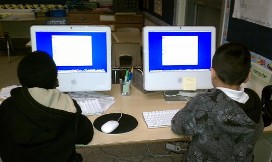
The target group used Mac OS X computers with the following specifications: 1.83 GHz Intel Core 2 Duo processor, 1GB 667 Mhz DDR2 SDRAM memory, Macintosh HD Startup Disk, and built-in speakers. Each student used a computer and printed to a HP LaserJet 4000N printer. THe HP LaserJet 4000N printer is built to print high volumes. To aid in whole-class lessons and Kidspiration tutorials the teacher used an HP VP6310 LCD projector. The projector allowed the teacher to display what she does on the computer for the class to see.
The software used in this project is Kidspiration (version 2.1b 2005). The Kidspiration software has been installed into each computer and multiple-licensing was purchased by the school system. The Macintosh minimum requirements of the kid-friendly software are Macintosh OS 7.1.6840/33 Mhz processor, 8 MB RAM, 2x CD-ROM drive, and 16-bit display. Kidspiration is software designed to help students "create graphic organizers by combining pictures, text, and spoken words" (Kidspiration 2005).
The following are handouts and materials students will need to complete the project:
- Sample Kidpsiration Work (Teacher Model) Picture Sample and Writing Sample
- Student Computer Background Knowledge Inventory
- Rubrics
Accomodations and Resources for Special Needs Students
Kidspiration includes many features that allow students of different abilities and needs to help "build important early skills, while more advanced students are able to better understand information and communicate ideas" (Kidspiration 2005). Such features include, graphics, visuals, and speech (text read-aloud). The majority of students who are specials needs are ELL (English Language Learners) and below grade level will benefit from the graphics and text read-aloud. Other features that aid in students' learning are font size and graphic features. The font size and graphic icons can be adjusted for students with visual impairments. Although the target students do not have other disabilities, Kidspiration can be used as an assisitve technology for future students or students in other classrooms. Using Kidpspiration as an assistive technology can help students with disabilities or needs can use Kidspriation to "assist [them] in learning, make the environment accessible, enable [them] to compete in the workplace, enahnce their independence, or otherwise improve their quality of life" (Blackhurst 2005).
Accomodations and resources that were provided for students on a case-by-case need basis outside the software are one-on-one assitance, headphones, and step-by-step written directions of tutorials.
Privacy and Safety Issues
Beacuse Kidspiration does not require the use of the Internet, students did not need permission to use the Internet. If students either purposefully or accidently accessed the Internet, the school's AUP (Acceptable Use Policy) would have been used to determine the student's consequences.
To maintain the privacy and safety of each student, the students used the school-wide student username, which does not require student personal information. When saving documents and work, each student only used their first name to protect the identity of each student.
Technical Issues
To prevent technical difficulties, the teacher assessed and/or fixed all hardware and software malfunctions in advance to prevent unneccessary problems during lessons. The following are last minute back-up procedures that the teacher followed. In the event of:
- limited number of accessible computers, students shared computers.
- no accessible computers the teacher rescheduled another convenient computer lab time.
- lost files, the teacher saved all student files on a USB after each computer lab meeting.
References
Blackhurst, E. A. (2005). Perspective on applicaitons of technology in the field of learning disabilities. Learning Disabilities Quaterly, 28(20), 175-178.
Kidspiration. (2005). Kidspiration's users guide. Inspiration Software.


